
All projects

Sales system

Point of Sale

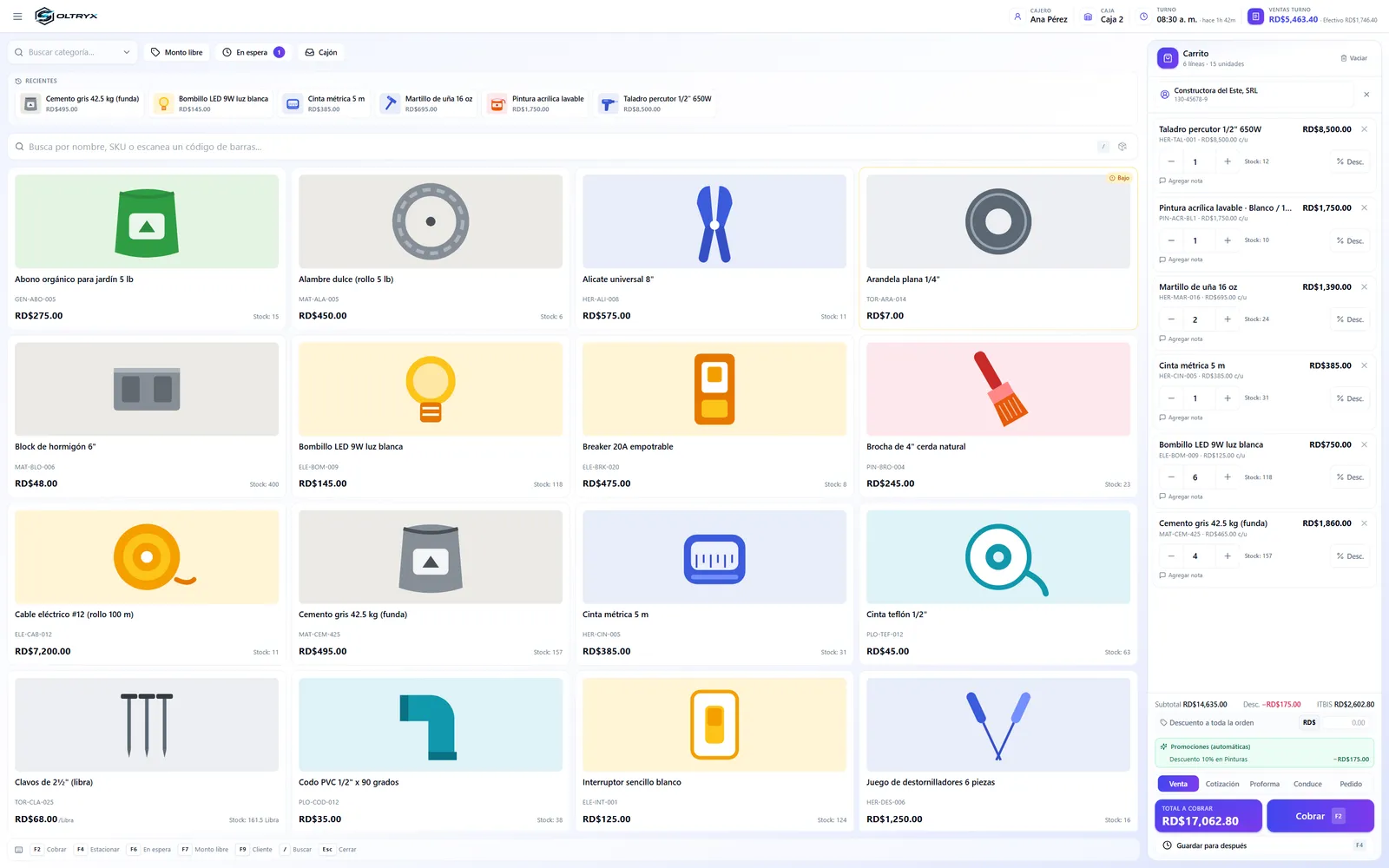
Sales, inventory, cash register and fiscal receipts in one place, for computer, tablet and phone.

  • Sales screen with search by name, SKU or barcode
  • Automatic promotions and discounts
  • Payment with fiscal receipt (NCF) and several payment methods
  • Quotes, pro forma invoices, delivery notes and orders
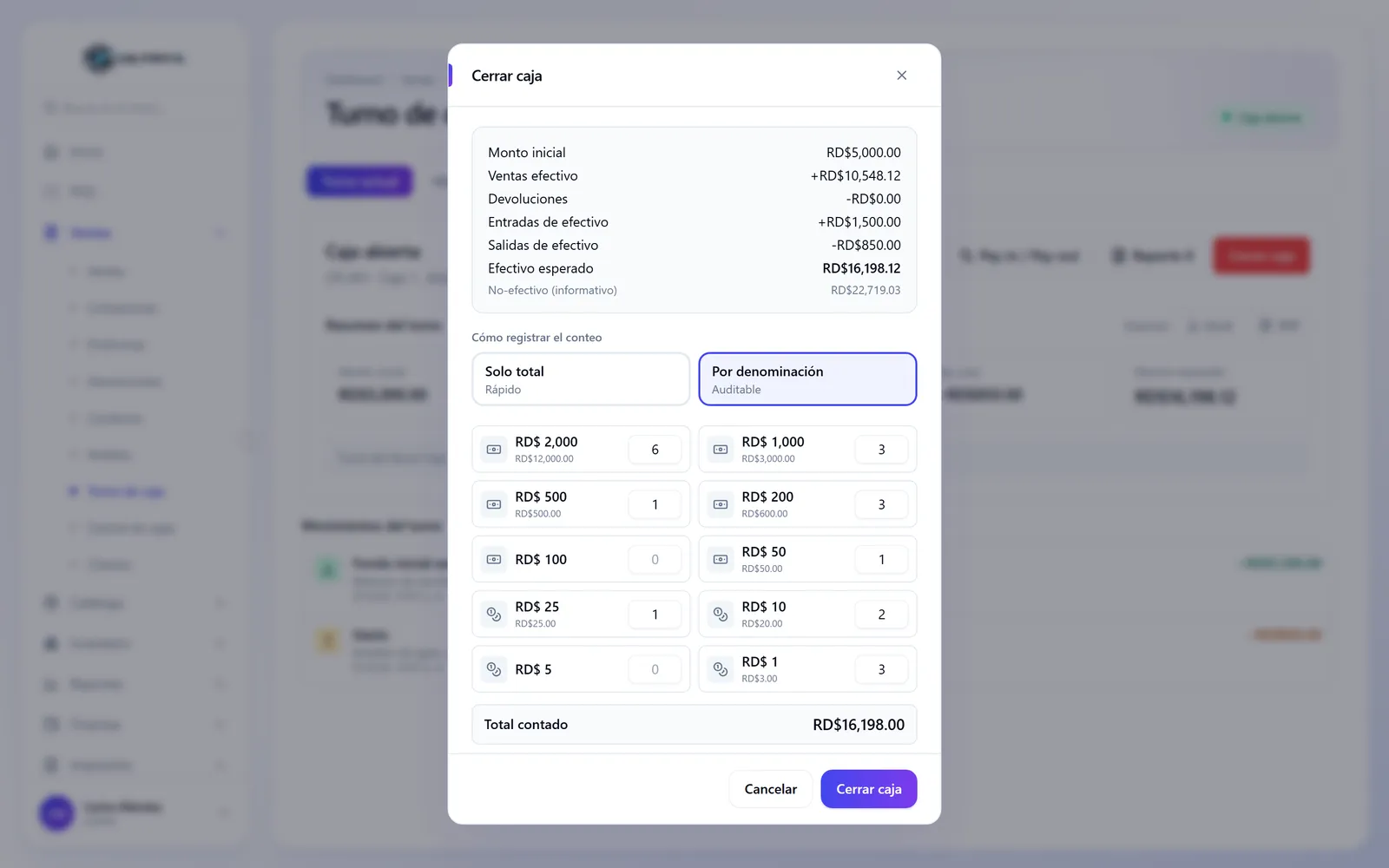
  • Cash register closing with a count by denomination
Point of sale screen with the catalog on the left and the cart with customer, automatic promotion and total on the right
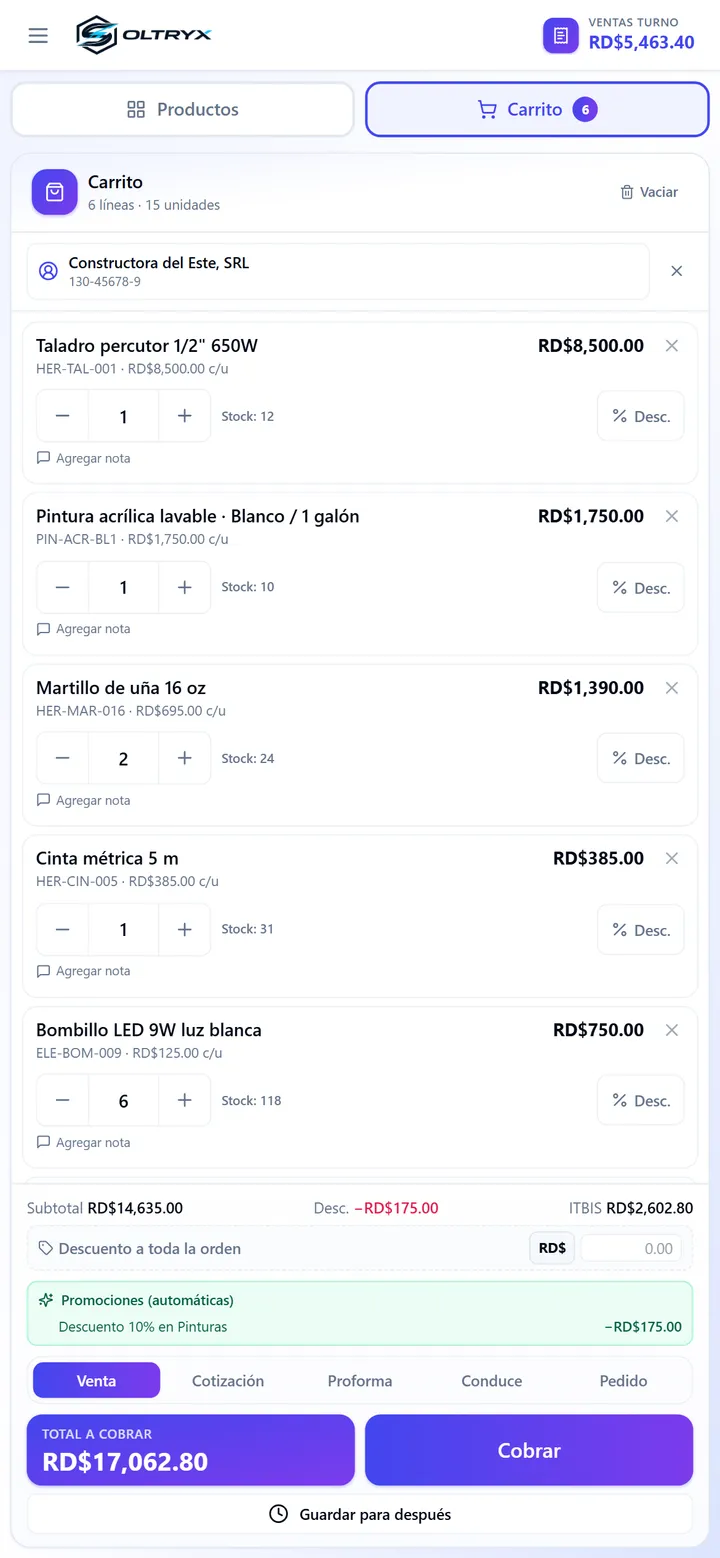
Point of sale cart on a phone, with the total and the Pay button

What it does

From payment with a fiscal receipt to closing the register.

Payment with a fiscal receipt

The payment panel shows the total, the discount and the ITBIS tax. It lets you issue a fiscal receipt (NCF), choose the payment method (cash, card, transfer, credit or other), calculate the change and add another payment.
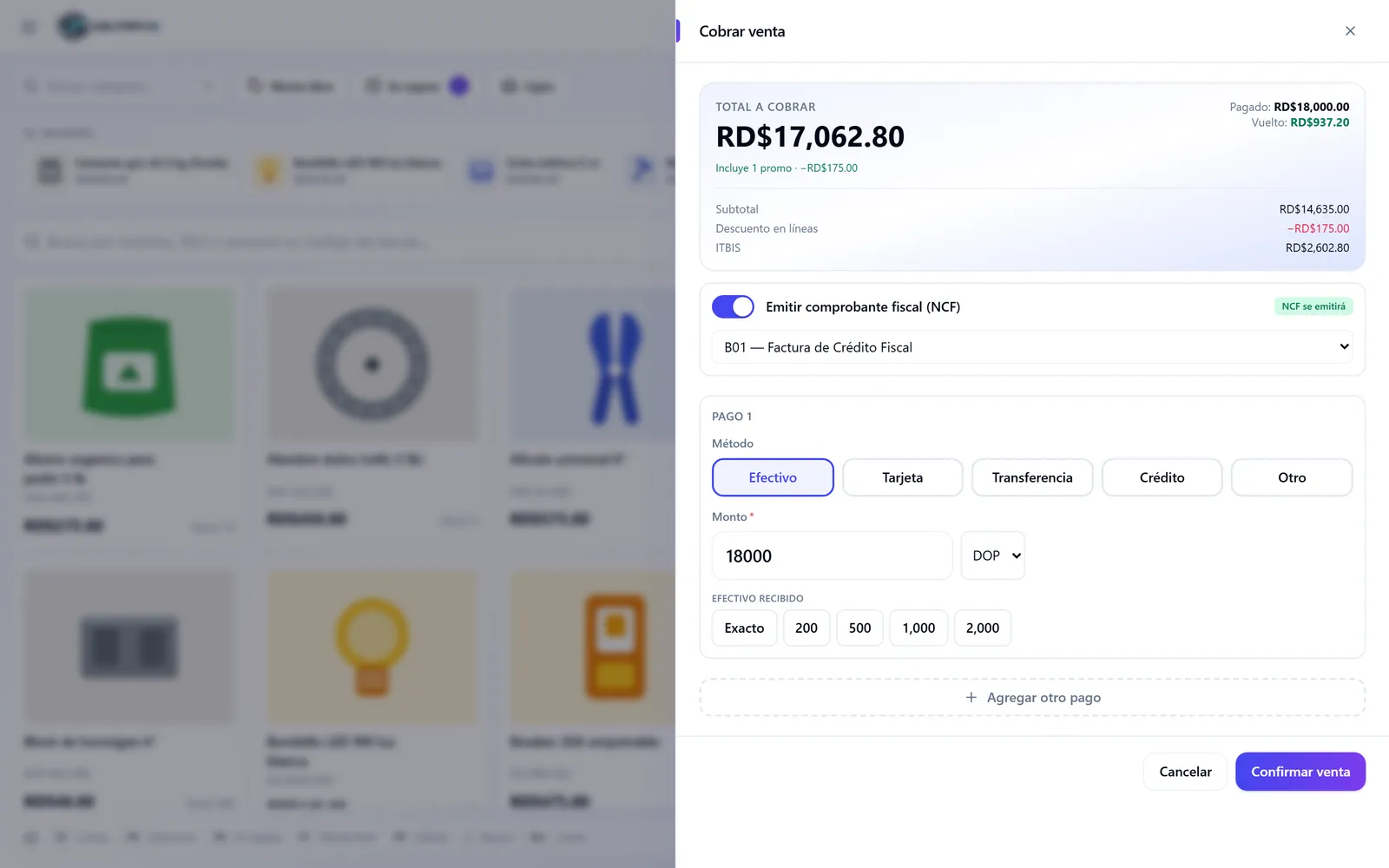
Payment panel with the total, the fiscal receipt turned on, the cash payment and the change

Register closing by denomination

The closing summarizes the opening amount, cash sales, returns, cash in and cash out, and calculates the expected cash. The count is recorded as a total or by denomination of bills and coins.

Register closing window with the expected cash summary and the count by denomination

Need a point of sale for your business?

Tell us how your company works. We review your case and reply with a work proposal.