
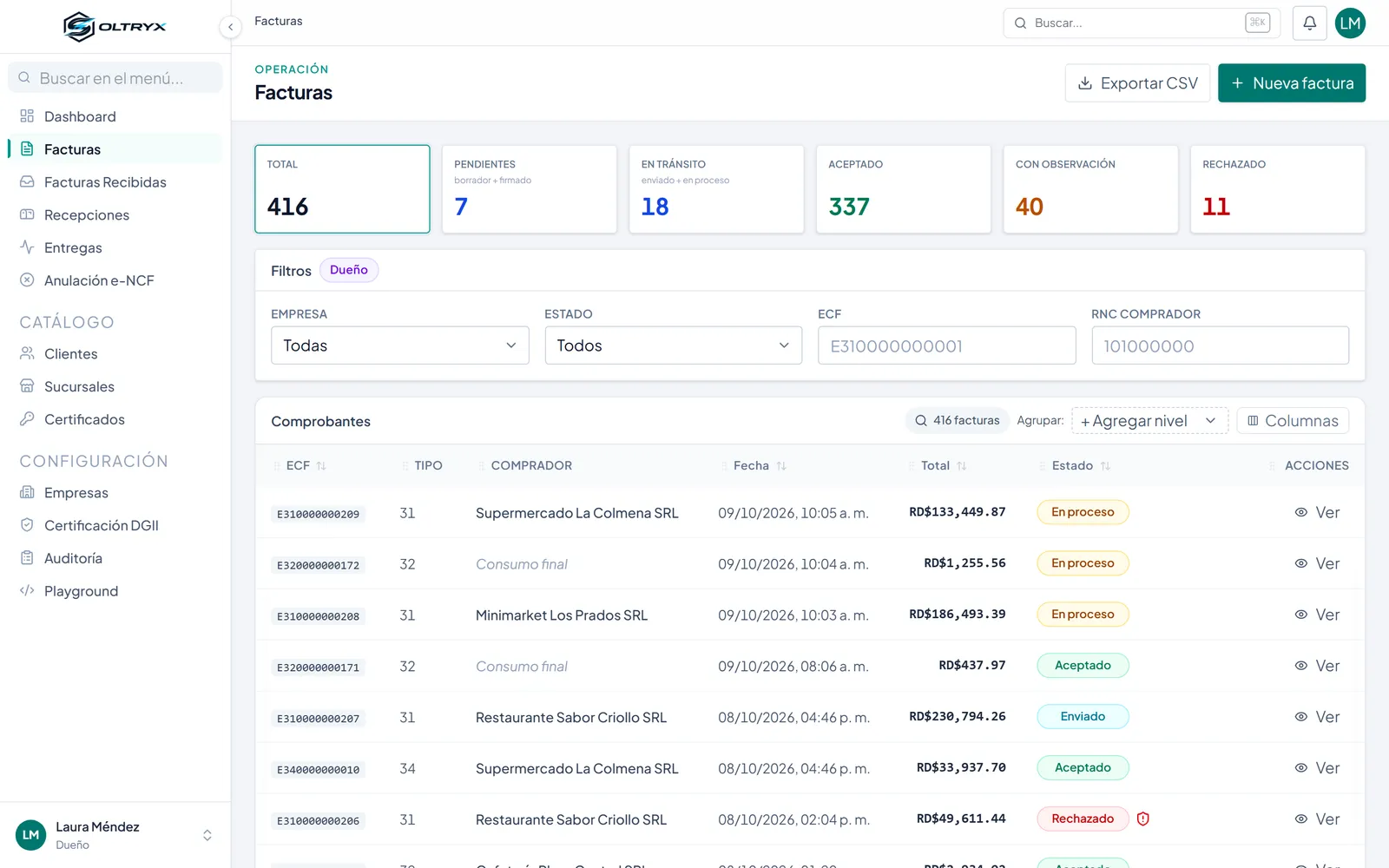
A list with the status of every e-CF
All receipts with their status (accepted, accepted with remarks, rejected), filters by company, status, e-CF type and buyer tax ID, and CSV export.
DGII integration
Issues, signs and sends your electronic fiscal receipts to the DGII from the system you already use. If the DGII doesn't respond, the system retries on its own.
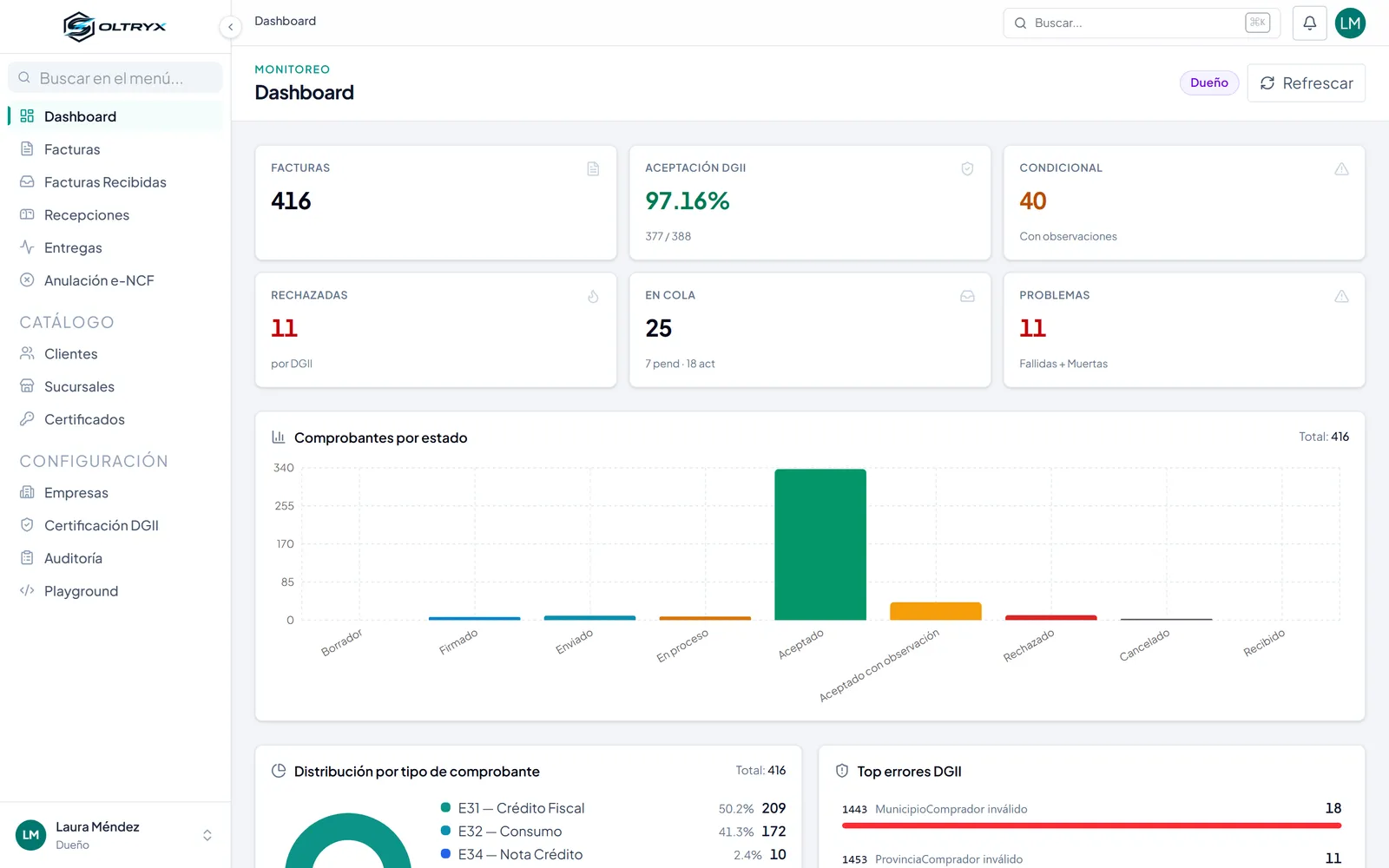
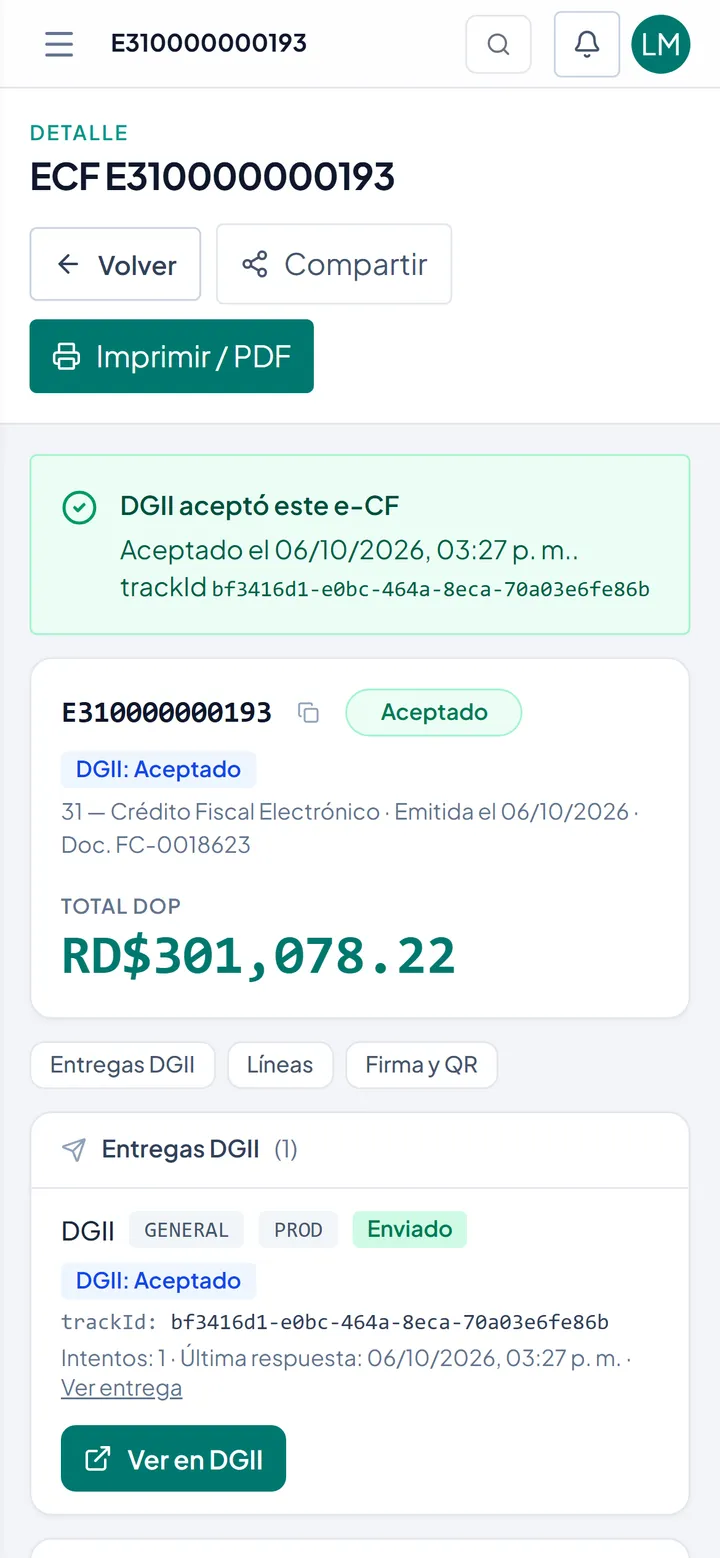
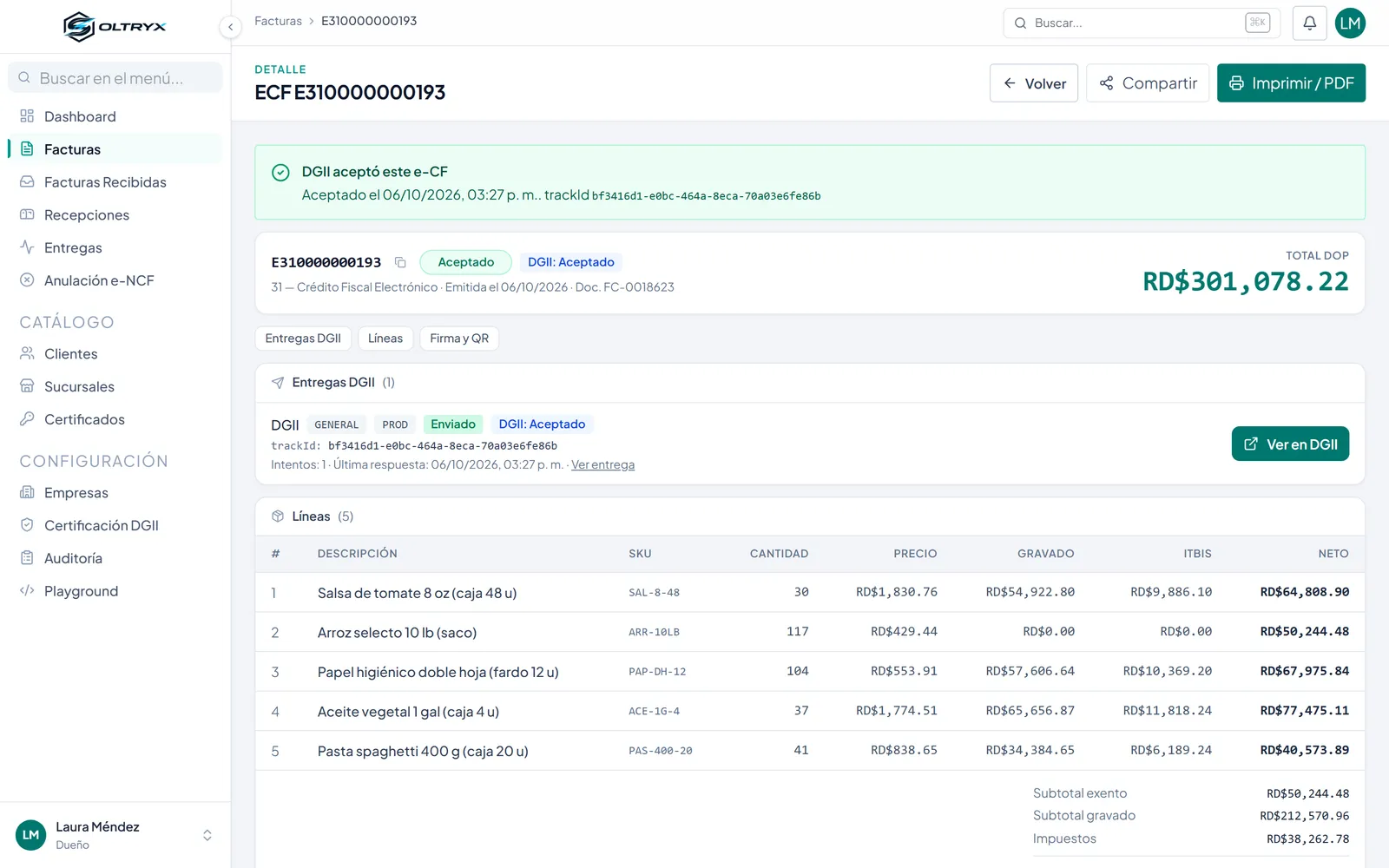
Every receipt can be followed from start to finish: from issuing to DGII acceptance, with its digital signature and QR code.
All receipts with their status (accepted, accepted with remarks, rejected), filters by company, status, e-CF type and buyer tax ID, and CSV export.
Each invoice shows whether the DGII accepted it, its tracking number, the response date, the delivery attempts and the lines with their ITBIS tax.
Tell us how your company works. We review your case and reply with a work proposal.